

InnoX
Connect HR
ERP AND ACCOUNTING LINKS

Connect HRMS to Any ERP. Zero Manual Entry.

Direct HRMS-ERP connection automates payroll journals to ledgers; real-time summaries and cost-center reports to finance systems; cross-platform compatibility protects existing ERP,no rekeying, errors, or delays.

From Payroll Run to Ledger Posting. Zero Manual Steps.

Manual payroll entry into ERPs creates delays, transcription errors, and reconciliation headaches. This sub-module eliminates every one of those problems. Payroll data , salaries, allowances, deductions, taxes flows automatically from HRMS to your ERP or accounting ledgers. Standardized financial summaries and cost-center reports push to finance systems for consolidation. Cross-platform compatibility means your existing ERP investment (SAP, Oracle, Dynamics, Odoo, or custom) works seamlessly. The result is faster closes, accurate financials, and finance teams freed from tedious data entry.

Eliminate Manual Payroll Entry & Transcription Errors

Payroll data exports directly to ERP or accounting ledgers , no rekeying, no spreadsheet transfers, no manual journal creation. Salaries, allowances, deductions, and taxes post automatically to the correct accounts. What starts in HRMS ends in your general ledger, perfectly accurate, with zero manual intervention. Reconciliation happens instantly, not over days.

Performance illustration
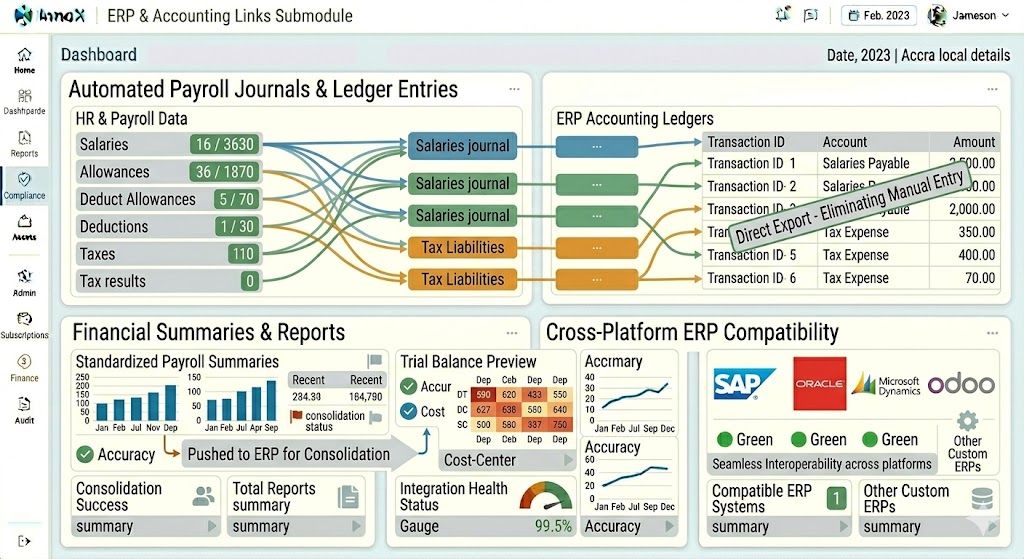
Automated Payroll Journals & Ledger Entries

Automated Payroll Journals & Ledger Entries

Payroll data, including salaries, allowances, deductions, and taxes, is exported directly to ERP or accounting ledgers , eliminating manual entry, spreadsheet transfers, and transcription errors. Every payroll run posts automatically to the correct general ledger accounts, ensuring financial accuracy and reducing reconciliation time from days to minutes.

  • Direct ledger posting : Salaries, allowances, deductions, and taxes export automatically to ERP or accounting ledgers
  • Zero manual entry : No rekeying, no spreadsheet transfers, no manual journal creation
  • Instant reconciliation : Payroll data matches GL entries automatically, reducing reconciliation from days to minutes
Financial Summaries & Reports

Financial Summaries & Reports

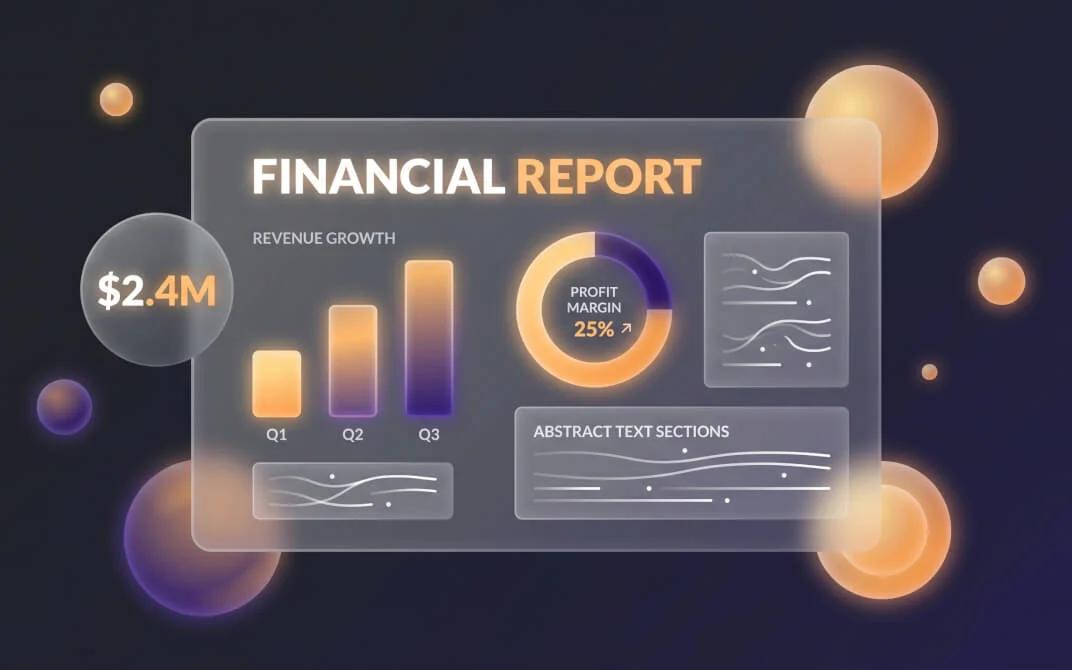
The system generates standardized payroll summaries, trial balances, and cost-center reports, which are pushed to ERP or finance systems for consolidation and reporting. Finance teams receive the numbers they need the moment payroll completes , no waiting for manual report creation, email attachments, or data re-formatting.

  • Standardized payroll summaries : Push payroll totals, tax liabilities, and deduction summaries directly to finance systems
  • Trial balance generation : Automated trial balances for payroll accounts, ready for consolidation
  • Cost-center reporting : Payroll costs allocated by department, project, or location for accurate financial analysis

Discover More with InnoX

Stop manual data entry and disconnected systems. The InnoX Integration Module seamlessly connects your HRMS with biometric devices (fingerprint, facial, iris), ERPs (SAP, Oracle, Dynamics, Odoo), accounting tools, and custom applications. Real-time attendance sync. Automated payroll journals. Secure RESTful APIs. Bulk import/export tools. Your entire enterprise unified.

Cross-Platform ERP Compatibility

Cross-Platform ERP Compatibility

This sub module supports integration with multiple ERP systems , SAP, Oracle, Microsoft Dynamics, Odoo, and other custom ERPs , ensuring seamless interoperability across platforms. No expensive custom coding, no middleware headaches, no forced migrations. Your existing ERP investment works perfectly with InnoX HRMS.

  • Major ERP support : Compatible with SAP, Oracle, Microsoft Dynamics, Odoo, and other leading ERPs
  • Custom ERP ready : Integration capabilities for homegrown or industry-specific ERP systems
  • No middleware required : Direct, seamless connectivity without expensive middleware or custom coding
Capabilities

Features Of ERP & Accounting Links

Everything you need to automate HR and payroll data flow into financial and ERP systems, streamlining payroll posting, accounting, and compliance reporting.

Automated Payroll Journals & Ledger Entries

Exports salaries, allowances, deductions, and taxes directly to ERP or accounting ledgers without manual entry.

Financial Summaries & Reports

Generates standardized payroll summaries, trial balances, and cost-center reports for ERP consolidation.

Cross-Platform ERP Compatibility

Supports SAP, Oracle, Microsoft Dynamics, Odoo, and other custom ERPs for seamless interoperability.

Real-Time Data Mapping

Configurable mapping of HRMS fields to ERP chart of accounts and cost centers.

Scheduled Data Push

Automatically pushes payroll data to ERP on configurable schedules (daily, weekly, monthly, or after payroll close).

Error Handling & Retry Logic

Flags failed exports with detailed error messages and automatic retry for temporary connectivity issues.

Audit Trail of Exports

Maintains complete log of all data exports including timestamp, user, record count, and destination system.

GL Account Validation

Validates GL account codes before export to prevent posting errors in the target ERP system.

Multi-Platform

Responsive For Both Desktop and Mobile

Access your erp and accounting links from anywhere, on any device. Our platform adapts seamlessly to desktop, tablet, and mobile screens.

Desktop Website Preview
Mobile Website Preview

Frequently asked questions

Explore answers to the most common questions from our trusted partners and clients.

InnoX supports both real time and batch integration depending on your ERP capabilities and business requirements. Real time integration pushes each payroll transaction as it is processed, ideal for organizations needing immediate financial visibility. Batch integration accumulates payroll data and sends consolidated journals on a daily, weekly, or pay period schedule, ideal for organizations with month end closing processes. You choose the timing that matches your financial close workflow.

Experience the Difference for Yourself!

  • Explore all features and decide if it’s right for you
  • Upgrade your workflow and launch faster than before
  • Join our community and start learning as you build
InnoX
Innorik
Enterprise
Two people moving forward together through a sunlit park