

InnoX
Paperless.
SLOG BOOK

Paperless. Unified. Digital.

InnoX sLog Book is a digital logging system for power operations. It replaces manual logs with a unified platform for real-time events, switching orders, and alarms. Designed for high-risk environments, it guarantees accuracy, traceability, and continuity.

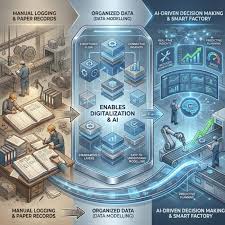
From Manual Risk to Digital Reliability

Manual logbooks create risk illegible handwriting, lost pages, delayed entries, and incomplete records. The sLog Book eliminates these vulnerabilities, delivering a digital foundation for operational integrity. The outcomes below represent the transformation from fragmented, paper-based logging to a unified, traceable, real-time system.

Event Categorization & Smart Filtering

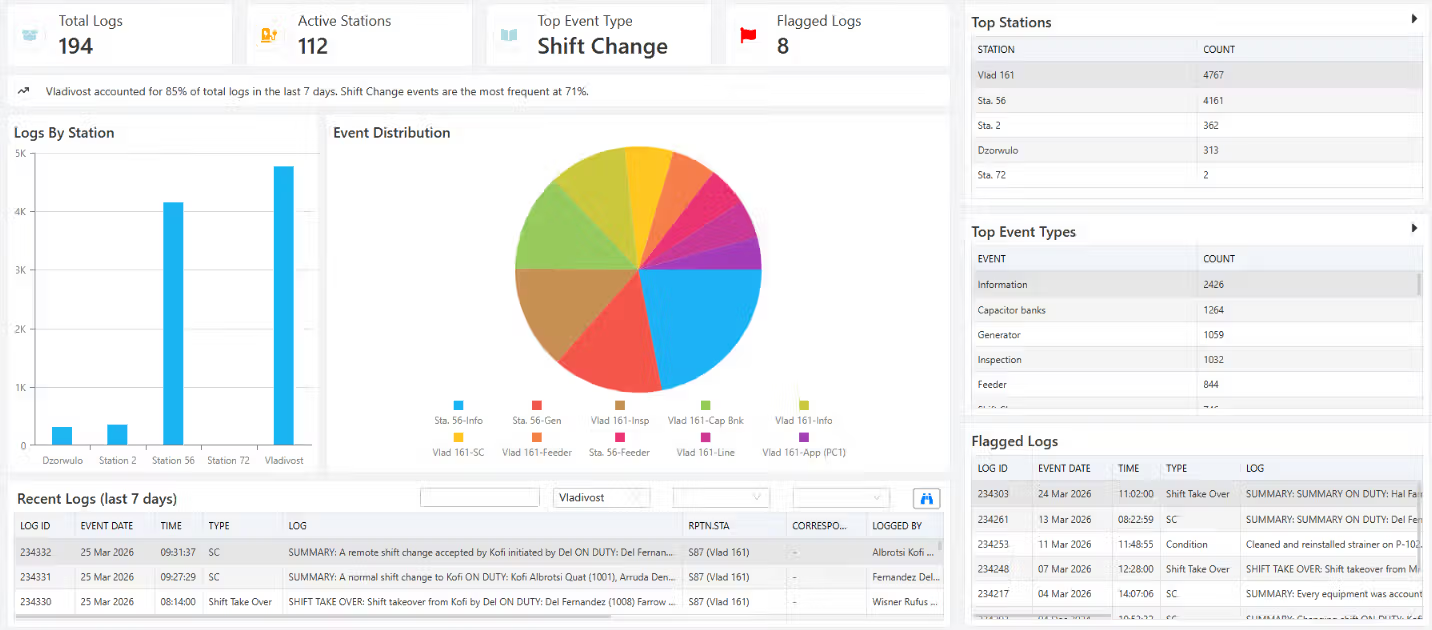
Organize every log entry into structured categories including operations, maintenance, faults, switching, and incidents. Custom tags and filters allow users to quickly locate relevant entries by asset, event type, or time period.

Performance illustration
Live Log Feed

Live Log Feed

A real-time scrolling feed of all operational log entries as they are created across control rooms and field operations. Every switching order, equipment status change, alarm, and incident report appears instantly, ensuring no critical information is missed during busy shift periods.

  • Each entry displays timestamp, user name, event category, and a brief summary of the log content for quick scanning.
  • Click any log entry to expand full details including attached photos, documents, sensor readings, and approval status.
  • Colour-coded categories (operations, maintenance, faults, switching, incidents) help operators instantly identify event types without reading every line.
Flagging of Logs

Flagging of Logs

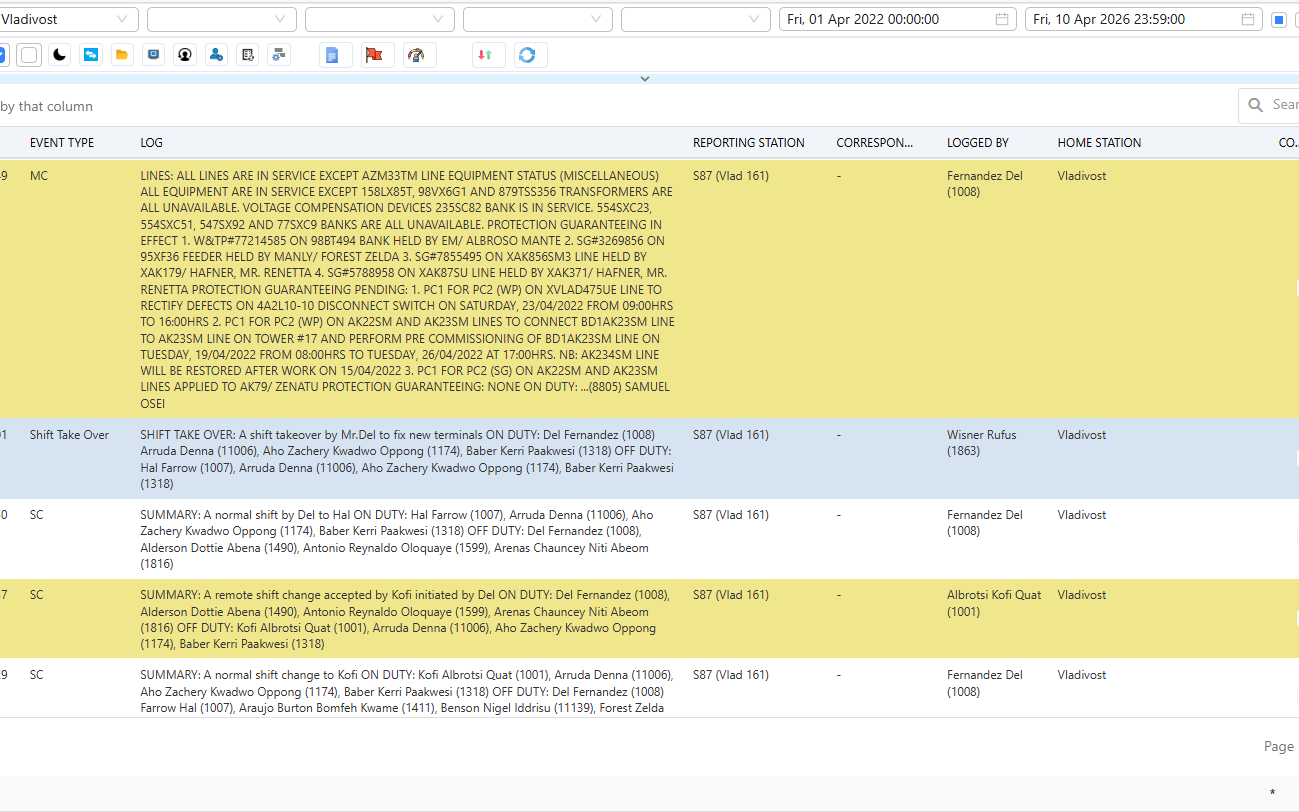
Enables operators and supervisors to flag critical log entries that require immediate attention, further review, or management escalation. Flagged logs are visually highlighted ensuring that urgent operational issues never get buried in routine entries.

  • Flags can be categorized by type, safety concerns, equipment anomalies, procedural violations, pending actions, or information gaps with priority levels from low to critical.
  • Complete flag history tracks who flagged, when, why, who resolved it, what action was taken, and resolution time, supporting accountability and continuous improvement.
  • Color-coded banners, yellow for attention, red for critical make flagged logs instantly visible in any log view or search result.

Discover More with InnoX

You’ve seen how InnoX Power Apps transforms logging, telemetry, outage management, and asset control. Now, take the final step. Connect with our experts to design a tailored implementation that unifies your data, automates your workflows, and puts intelligent control at your fingertips. Stop managing disparate systems start commanding your operations.

Shift Handover Summary

Shift Handover Summary

An automatically generated briefing panel that captures all critical events, ongoing issues, pending tasks, and unresolved alarms from the current shift. Operators can review what occurred during their shift, add final notes, and formally transfer responsibility to the incoming team.

  • The summary includes a chronological timeline of all high-severity events, active switching orders, equipment in abnormal states, and any logs flagged for follow-up.
  • Incoming shift lead must acknowledge receipt of the summary by digital signature, creating a clear, auditable handover record for compliance purposes.
  • Automated notifications highlight urgent unresolved matters to the incoming team before they assume duty, ensuring nothing falls through the cracks.
Capabilities

Features Of sLog Book

Everything you need to replace paper logs with digital accuracy, traceability, and operational continuity.

Digital Log Entry Management

Enables operators to log events, status updates, and notes with timestamps; supports attachments for richer context.

Role-Based Access Control

Provides role-based access control; only authorized personnel can create, edit, or approve entries.

Event Categorization

Organizes logs into structured categories; custom tags and filters help users quickly locate entries and simplify analysis.

Shift Handover

Supports shift transitions with automatic summaries; acknowledgment prevents information loss.

Audit Trail & Compliance

Tracks every edit and change with user ID and timestamp; audit trails support compliance, safety, and error identification.

Reports & Export Tools

Generates daily summaries, incident reports, and logs by category/date/asset/user; exports to PDF, Excel, or CSV.

Log Flagging & Issue Escalation

Allows flagging critical log entries; color-coded by priority, with automatic escalation if unresolved.

Remote Shift Handover

Enables remote shift handover with digital signatures; creates auditable record of responsibility transfer.

Multi-Platform

Responsive For Both Desktop and Mobile

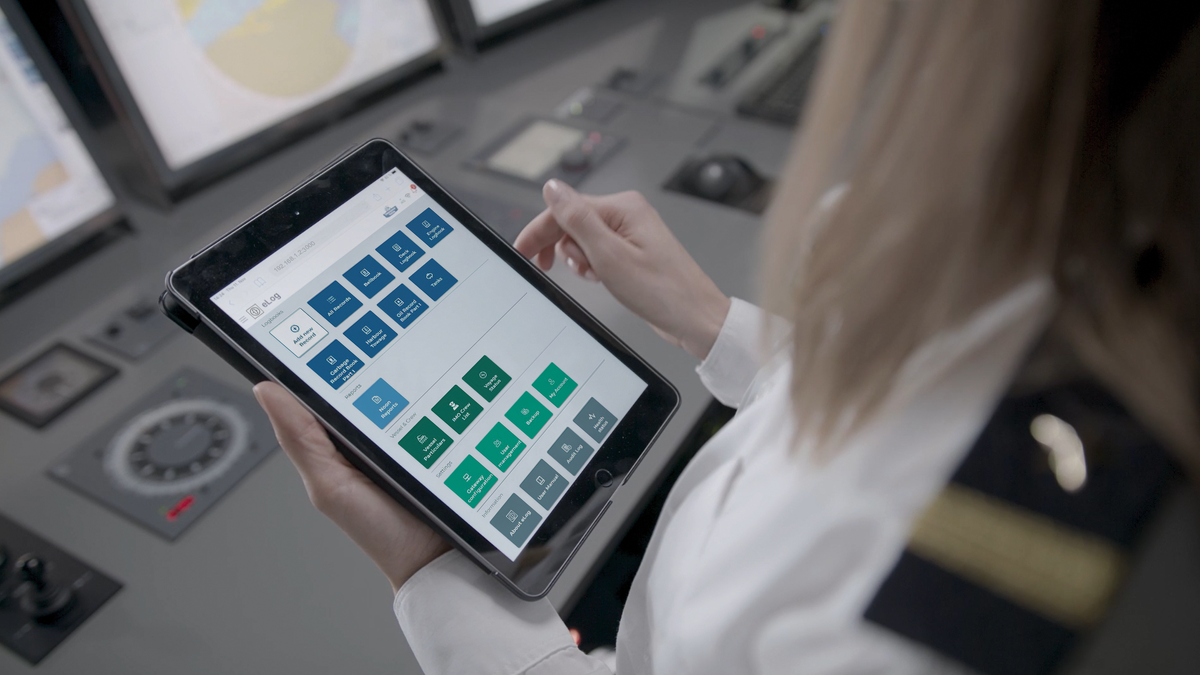
Access your slog book from anywhere, on any device. Our platform adapts seamlessly to desktop, tablet, and mobile screens.

Desktop Website Preview
Mobile Website Preview

Frequently asked questions

Explore answers to the most common questions from our trusted partners and clients.

Absolutely. Operators can attach photos (e.g., equipment damage), documents (e.g., maintenance procedures), or even sensor readings (exported from InnoX Telemetry) directly to any log entry. This enriches the context of each event and provides investigators with primary evidence during post-incident analysis.

Experience the Difference for Yourself!

  • Explore all features and decide if it’s right for you
  • Upgrade your workflow and launch faster than before
  • Join our community and start learning as you build
InnoX
Innorik
Enterprise
Two people moving forward together through a sunlit park